ArticlesMinimal stack
AI for solo founders: the smallest useful setup
Solo founders do not need an AI org chart. The smallest useful setup is one host, one coding assistant, four roles, a few narrow tools, and a founder gate on anything that ships, sends, deploys, or writes to customer records.
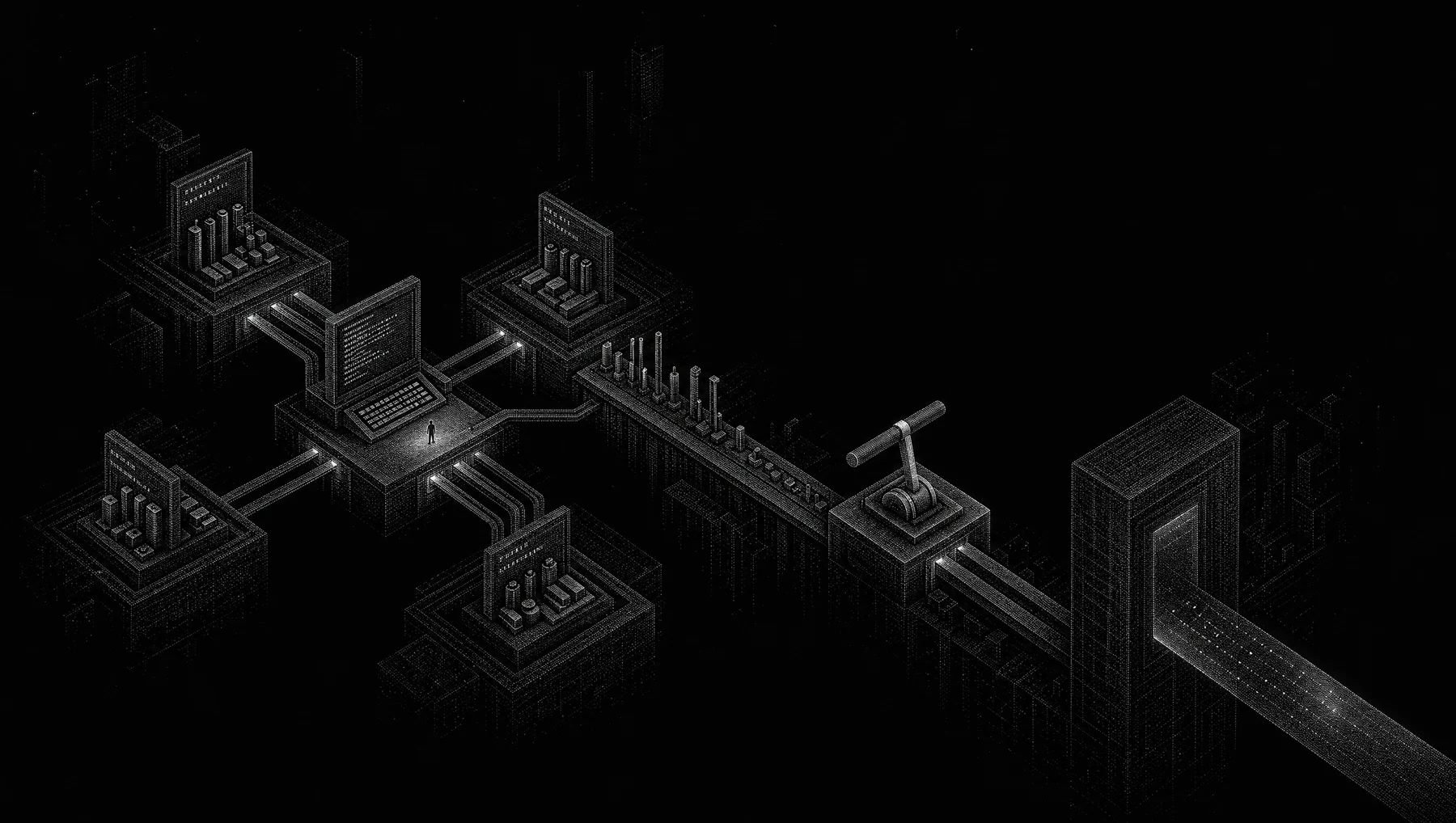
The smallest useful setup for a solo founder
Use AI where the work already happens. Do not start by wiring ten tools together or naming fake departments. Start with a host, a repo-aware assistant, four recurring roles, and a written approval rule. That gives a solo founder a small operating loop without pretending the model runs the company.
The four roles are Builder, Researcher, Operator, and Reviewer. They can be saved prompts, custom agents, IDE modes, Claude Code instructions, GitHub Copilot agent mode prompts, Agentik lines of work, or MCP-exposed prompts. The form matters less than the boundary. Builder edits code. Researcher reads and cites. Operator turns intent into checklists and drafts. Reviewer looks for risk, unsupported claims, and missing gates.
The reason to start with roles is simple. A founder does not have spare management capacity. Every new agent adds instructions, tool schemas, credentials, logs, and failure modes. If the work does not benefit from parallel reading, independent review, or repeated execution, a separate agent is usually ceremony.
This setup has one hard rule: the human gate stays close to the business. The founder approves production deploys, outbound email, billing changes, customer-record writes, public posts, support final responses, and database migrations. The model can prepare the work. It cannot become the accountable party.
The tradeoff is speed versus control. A smaller stack will not automate every task. It will also avoid the first common trap: a beautiful workspace where every tool can touch everything and nobody knows which action the model just took.
The real problem is scattered operating context
The symptom is not lack of AI. The symptom is scattered work. You have product notes in one place, customer messages in another, issues in a repo, launch copy in a doc, and decisions in chat history. When you ask a model for help, it answers from the slice of context you pasted five minutes ago.
The tempting fix is to create a fleet of agents. One for marketing. One for sales. One for support. One for engineering. One for finance. That feels like hiring, but it is not hiring. It is workflow design with weaker accountability. If those agents share the same permissions and see the same data, they are mostly labels on one large permission surface.
A solo founder needs less theater. You need repeatable work packets. A product change should turn into a short brief, an implementation plan, a diff, tests, a release checklist, and customer-facing copy. A support issue should turn into a diagnosis, a draft answer, a product note if needed, and a decision about whether anything must be written back to the customer record.
The host is where the model runs and where you already work. Agentik’s public docs draw this distinction: ChatGPT can be a host, while an AI operating system is the work layer installed on the host, with agents, memory, and a human gate. That separation matters. Changing hosts should not force you to redesign the whole company process.
The first operating decision is therefore not which model has the best demo. It is where you will spend the next 30 days. Pick one daily workspace. Use it until the boundary is obvious. A common split is terminal-first engineering in one host and click-through business work in another. Before that split exists, adding a second host gives you duplicate memory, duplicate prompts, and duplicate mistakes.
Choose one host before you choose more agents
A host is not an operating system. A host runs the model, presents the interface, and often supplies native tools. The operating layer is the pattern you carry between tasks: roles, constraints, memory, approvals, and the list of tools each role may touch.
Claude Code’s official getting-started docs describe a local, project-oriented workflow: install it, authenticate, and open it inside a project directory. That makes it a useful engineering host for a solo founder because it starts where the repo lives. GitHub’s Copilot docs describe agent mode as able to break coding tasks into steps, read files, edit code, run commands, and self-correct when something goes wrong. Those are coding capabilities, not a business operating model.
The Model Context Protocol specification uses the terms host, client, and server. The host is the application the user interacts with. A client maintains a connection to a server. A server exposes capabilities such as resources, prompts, and tools. The spec also says MCP uses JSON-RPC 2.0 messages. That is useful vocabulary because it stops the stack from becoming mystical.
For a founder, the practical split is this: the host is where you talk, the coding assistant is where code changes happen, MCP or native tool APIs connect selected systems, and the operating layer says who may do what. If a model has repo access, customer notes, billing tools, and publish permissions at the same time, the issue is not which host you picked. The issue is scope.
The cost of one host is that you may miss a feature in another product for a few weeks. That is acceptable. The cost of three hosts on day one is higher: stale instructions, unclear memory, duplicated files, and no single audit trail of what you asked the model to do.
Use the coding assistant for repo work, not company control
For a software founder, the first useful assistant is usually the coding assistant. It sees the repo, can propose edits, can run commands if the environment allows it, and can summarize diffs. That work has immediate feedback. Tests pass or fail. The app boots or it does not. A migration runs or it errors.
Use the coding assistant for narrow tasks with visible outputs. Good requests look like this: add a failing test for recurring invoice reminders, find where trial expiration emails are sent, explain this diff before I merge, create a migration plan but do not run it, update release notes from the merged commits. Bad requests ask it to run the company or change the product without constraints.
Claude Code and GitHub Copilot agent mode are both documented as project and coding tools, but the docs do not say they guarantee correctness. That limit matters. A coding agent can read files, edit files, and run commands. It can still write an insecure query, misunderstand a billing rule, skip an edge case, or generate confident nonsense in a release note.
The smallest engineering loop is five steps. First, ask the Researcher role to read the issue, docs, and relevant files without editing. Second, ask Builder to implement one scoped change. Third, run tests yourself or inspect the command the assistant ran. Fourth, ask Reviewer to inspect the diff for risky behavior. Fifth, approve the merge or send it back with a precise correction.
Keep shell and deployment rights separate where your tools allow it. A local test command is not the same as a production deploy. A migration file is not the same as applying the migration to production. If your host cannot enforce that distinction, enforce it by process and credentials. Do not put production secrets in a workspace just because the assistant is useful on local files.
Define four roles before you create four workers
The role layer is the smallest durable artifact in this setup. It is cheap to write, easy to move between hosts, and visible when it fails. You can keep these role cards in a repo file, a prompt library, an Agentik OS line of work, a custom agent setting, or an MCP prompt server.
Use short instructions. Long constitutions rot. The role should say what it can touch, what it must return, and what it must not do. The role should also name its handoff. Builder hands a diff summary to Reviewer. Researcher hands a cited brief to Builder or Operator. Operator hands drafts and checklists to the founder. Reviewer hands an approve, revise, or block recommendation to the founder.
Copy this as a starting artifact, then make it stricter as real work teaches you where it breaks.
- Builder: You edit product code only after a scoped task is accepted. Read relevant files first. Prefer small diffs. Write or update tests. Return changed files, commands run, test results, and unresolved risks. Do not deploy, email customers, change billing, or write to customer records.
- Researcher: You read docs, issues, public sources, and pasted customer notes. Return a cited brief with facts, unknowns, edge cases, and suggested next questions. Do not edit code. Do not invent statistics. Say "I do not know" when the source is missing.
- Operator: You turn founder intent into checklists, tickets, release steps, support drafts, and launch drafts. Mark every draft that needs approval. Do not publish, send, or write back to systems without explicit approval.
- Reviewer: You inspect work for unsupported claims, security-sensitive changes, permission creep, missing tests, customer-impacting behavior, and irreversible actions. Return approve, revise, or block, with the reason. Do not make the change you are reviewing.
Expose tools only where they reduce glue code
MCP is useful when it reduces glue code. The Model Context Protocol specification says applications can share contextual information with language models, expose tools and capabilities to AI systems, and build composable workflows. It defines resources, prompts, and tools. Tools are functions the model can execute through the connected system.
That does not mean you should connect everything. A solo founder with a young product usually needs a small number of tool paths: repo issues, product docs, docs search, content calendar, and maybe a read-only customer lookup. Start with read-only context. Add write access one workflow at a time after you know the exact operation.
OpenAI’s Agents SDK docs describe several tool categories, including hosted tools, local or runtime tools, function tools, agents as tools, and hosted MCP tools. They also document Programmatic Tool Calling for bounded workflows with loops, branching, parallel calls, and intermediate calculations. The practical point is that not every tool call needs to be a free-form model decision. Some workflows deserve code, enums, and branches.
Tool names should be boring and narrow. A useful tool is create_support_draft(customer_id, issue_type, proposed_resolution). A risky tool is do_customer_stuff(input). The first tool tells the model what kind of action exists and what fields are required. The second hides the boundary and invites overreach.
The MCP spec’s security section warns that tools can represent arbitrary code execution and data access paths, and that users should understand and consent to tool use. Treat that as a design requirement. Put risky tools behind explicit approval. Keep dangerous credentials out of the default workspace. Log what was called, with what arguments, and who approved it if your stack supports logs.
The cost of narrow tools is slower setup. You will write more schemas and say no to vague automation. The result is worth it: fewer mystery actions and clearer failure reports.
The human gate is a product requirement
Workspace organization is not security isolation. A folder named Marketing Agent does not prevent a model from reading secrets if the host, repo, or MCP server grants access. A Reviewer prompt does not remove deploy rights. A memory note that says do not email customers is not a permission boundary.
Security comes from narrower permissions, explicit consent, credential separation, logs, and human approval. Agentik’s glossary defines least privilege as giving each user, service, or AI agent only the minimum permissions needed to do its job. OWASP’s 2025 LLM application risk list includes Excessive Agency, Prompt Injection, Sensitive Information Disclosure, Supply Chain risk, Improper Output Handling, Misinformation, and Unbounded Consumption. Those are not theoretical concerns for a founder. They show up as a support tool that can write to every record, a model that follows hostile text inside a pasted email, or a content draft that states a feature you have not shipped.
The approval gate should be written down. It should not depend on your mood at midnight. Require founder approval for production deploys, outbound emails, billing changes, CRM writes, public content, support final responses, database migrations, and access to secrets. If the assistant prepares any of those actions, it should stop at a draft, a command proposal, or a checklist.
Human approval is not a magic shield. If you approve a vague prompt without inspecting the diff, you have only moved the failure from the model to yourself. Approval must include the artifact: the diff, the email body, the migration, the target records, the command, or the publish destination.
The cost is friction. You will click less automation. You will read more before sending. That is the right cost for a solo founder because the founder is also the legal, product, and customer accountability layer.
Minimal stack comparison and checklist
Use this table as a day-one stack plan. It is intentionally small. Each row names the layer, the minimal choice, the cost, the boundary, and the expected result. If a row feels too strict, loosen it only after a real workflow needs it.
The table also separates organization from security. Role names make work easier to repeat. They do not enforce access. Tool permissions, credentials, approval checks, and logs enforce access.
Worked hypothetical example: shipping recurring invoice reminders
Hypothetical example: a solo SaaS founder is building a lightweight invoicing product. The next feature is recurring invoice reminders. The founder has a repo, a small backlog, product notes, and a few customer requests pasted into an issue. The stack is one engineering host, one repo-aware assistant, four role cards, one read-only tool path into product docs and issues, and a written approval rule.
Researcher starts by reading the issue, user notes, and current product docs. The output is a one-page brief: the user problem, expected behavior, edge cases, and unknowns. It cites the internal issue names or public docs it used. It does not edit code. If the reminder schedule depends on a billing rule that is not documented, it says so instead of guessing.
Builder then opens the repo context. It implements reminder scheduling, updates tests, and runs the local test command if allowed. Its handoff is not a victory lap. It lists changed files, commands run, test output, and open risks. If the email-sending path is mocked in tests, it says where. If an environment variable is needed, it names it.
Reviewer checks the diff. It looks for security-sensitive changes, customer-record writes, email-sending behavior, migrations, missing tests, and claims in copy that the product does not satisfy. It returns approve, revise, or block. A block might say: "The migration writes reminder_enabled=true for every customer without an opt-in check. Do not deploy until the default behavior is confirmed."
Operator drafts the release note, customer announcement, rollback note, and deploy checklist. The drafts are not sent. The founder inspects the diff, runs or verifies tests, approves the deploy, edits the release note, and sends the announcement manually or approves the send in the sending system.
This loop is slower than full automation. It is also smaller, inspectable, and honest about accountability. The assistant helps produce artifacts. The founder still owns the decision.
Failure modes to name before they bite
The main failure mode is permission creep. It starts innocently. You add a read-only docs tool. Then a write tool for support drafts. Then a CRM update tool. Then a billing tool. At some point the model can read a hostile customer email, summarize it, call a tool, and update a record before you understand which instruction it followed. OWASP calls out Excessive Agency as an LLM application risk. The fix is not a prettier prompt. The fix is least privilege and approval on consequential actions.
The second failure mode is role confusion. Builder starts making product decisions. Researcher starts editing code. Operator publishes copy. Reviewer rewrites the implementation instead of reviewing it. This happens when the handoff is unclear or every role has the same tools. Fix it by making each role return a specific artifact and by withholding tools that are not needed.
The third failure mode is false memory. A saved prompt, chat transcript, or workspace note may feel like durable memory, but it can be incomplete or stale. MCP does not create memory by itself. Agentik’s public docs make the same point in category terms: an operating layer can carry roles, memory, and gates, while the host still runs the model and pays for tokens. If you need durable memory, define what is stored, where it is stored, who can update it, and how stale entries are corrected.
The fourth failure mode is tool ambiguity. If two servers expose similar tools, the model may choose the wrong one. Avoid duplicate verbs. Prefer names that include the domain and action, such as read_billing_status rather than get_status. Make required fields explicit. Use enums where free text would create hidden branches.
The fifth failure mode is cost fan-out. Multiple agents can improve independent reading or review, but every extra worker may bring its own system prompt, tool schema, and context prefix. That cost is hard to feel until tasks slow down or bills rise. Start with roles inside one workflow. Split into separate agents only when the work benefits from parallelism or independent judgment.
Where Agentik fits without turning into a pitch
Agentik fits as an operating layer when the work has become repeatable enough to deserve structure. Its public docs describe an agentic OS as agents that act inside a system that remembers the constraint. They also describe Agentik as running on a host the user already pays for, with the host still running the model and paying for tokens. That is the right mental model: Agentik is not the model provider and not the host. It is the work layer that can organize roles, memory, constraints, and a human gate on top of existing hosts.
For a solo founder, that means Agentik is not the first noun in the stack. The first noun is the work. If your recurring work is content, release operations, support triage, or growth experiments, an OS layer can keep role boundaries and approval rules from living only in your head. If your current need is one code edit in one repo, a local coding assistant and a clear prompt may be enough.
The boundary remains important. Agentik’s docs support claims about roles, memory, gates, and host-based operation. They do not prove that any founder will make more revenue, ship a specific percentage faster, or avoid every security issue. No stack does that. Treat the OS layer as a way to make recurring work inspectable, not as a replacement for product judgment.
What this setup does not do
This setup does not solve strategy. A model can compare options, draft positioning, and summarize customer notes. It cannot know whether you should enter a market unless the evidence exists and you inspect it. If the evidence is thin, the right answer is a smaller bet, not a longer prompt.
It does not solve security by naming roles. If the same host session can read secrets, edit code, call tools, and publish content, role labels are only labels. Least privilege must happen in credentials, tool scopes, repository access, approval steps, and logs.
It does not remove the need for tests. GitHub’s Copilot docs describe agent mode capabilities such as reading files, editing code, running commands, and self-correcting. Those capabilities do not mean the generated code is correct or safe. Keep tests, code review, staging, rollback notes, and manual inspection for sensitive changes.
It does not require MCP for every connection. Native host tools may be enough. MCP becomes useful when you need a standard interface across hosts and tools, or when you want prompts, resources, and tools exposed in a consistent way. If a CSV export and a pasted issue are enough today, use them.
Do not use this minimal stack when regulation, money movement, medical advice, legal advice, or high-volume customer operations require stronger controls than a solo founder can inspect manually. In those cases, you need formal access control, audit logs, policy enforcement, testing, monitoring, and probably more people in the loop.
| Layer | Minimal choice | Cost | Boundary | Expected result |
|---|---|---|---|---|
| Host | Pick one daily workspace, such as a coding host or chat host where you already work. | You give up some features from other hosts for the first 30 days. | The host is where the model runs. It is not durable workflow design by itself. | Less context splitting and one place to inspect recent work. |
| Coding assistant | Use one repo-aware assistant for code edits, tests, migrations, issue triage, and release notes. | You still review diffs, run tests, and control deploys. | Local repo work only. No production deploys or customer sends without founder approval. | Small code changes move from issue to tested diff with a readable handoff. |
| Roles | Define Builder, Researcher, Operator, and Reviewer as prompts, modes, custom agents, or OS work lines. | You spend time maintaining instructions and handoffs. | A role is a work boundary, not a security boundary. | Repeated work produces comparable artifacts instead of fresh chaos each time. |
| Tools | Expose a few narrow tools through MCP or native APIs, starting read-only. | Narrow tools take longer to design than broad ones. | Tools should have required fields, clear names, and limited permissions. | The model can fetch or prepare specific context without broad system access. |
| Approval gate | Require founder approval for deploys, emails, billing changes, CRM writes, public content, support final responses, and migrations. | You accept friction on consequential actions. | Approval must inspect the artifact, such as the diff, command, record, draft, or destination. | The assistant can prepare work while the founder remains accountable. |
| Memory | Store only durable constraints, decisions, and reusable context in a known place. | Someone must correct stale memory. | Chat history is not a complete source of truth. | Future work starts with known constraints instead of scattered recollection. |
Sources
Questions
What is the best AI tool for a solo founder?
There is no single best tool in the cited docs. Pick one host where you already work, then add a coding assistant, narrow tools, role instructions, and a human approval gate.
Do solo founders need multiple AI agents?
Usually no. Start with four roles, Builder, Researcher, Operator, and Reviewer, and run them as prompts or modes before you split work into separate autonomous agents.
Is MCP required for a solo-founder AI stack?
No. MCP helps when you need a standard way for a host to reach external tools or context, but it is plumbing, not memory or safety by itself.
Can an AI assistant deploy code or email customers for me?
It can draft, check, and prepare those actions if your tools allow it. You should keep founder approval on production deploys, outbound email, billing changes, CRM writes, public content, and database migrations.
Where does Agentik fit in this setup?
Agentik’s public docs describe an OS layer that runs on an existing host and organizes roles, memory, constraints, and human gates. That fits after you know which recurring work needs structure, not before you know what work exists.